Trace the activity
Inspect individual sessions and review cost estimates by project and day, drawn from your local transcripts.
Agent operations, under your control
A control dashboard for your Claude Code agents. See what they cost, block tool calls over your limits, and find automations that quietly stopped working.
Runs on your machine. Full source included. One-time purchase.
01 / When you need it
You have agents doing real work. This is where you go to understand what’s happening—and decide what happens next.
Set a budget for a session, project, or day. With the Claude Code hook connected, the breaker checks recorded spend before a tool call and blocks it when the limit is breached.
A tool-call guard, not a guaranteed billing cap. It cannot stop model generation or API calls outside Claude Code.
02 / Inside the product
A guided workspace for reviewing agent work: see what needs attention, open the evidence, and choose a next step. Try it with sample data in the live demo.
Open the interactive demo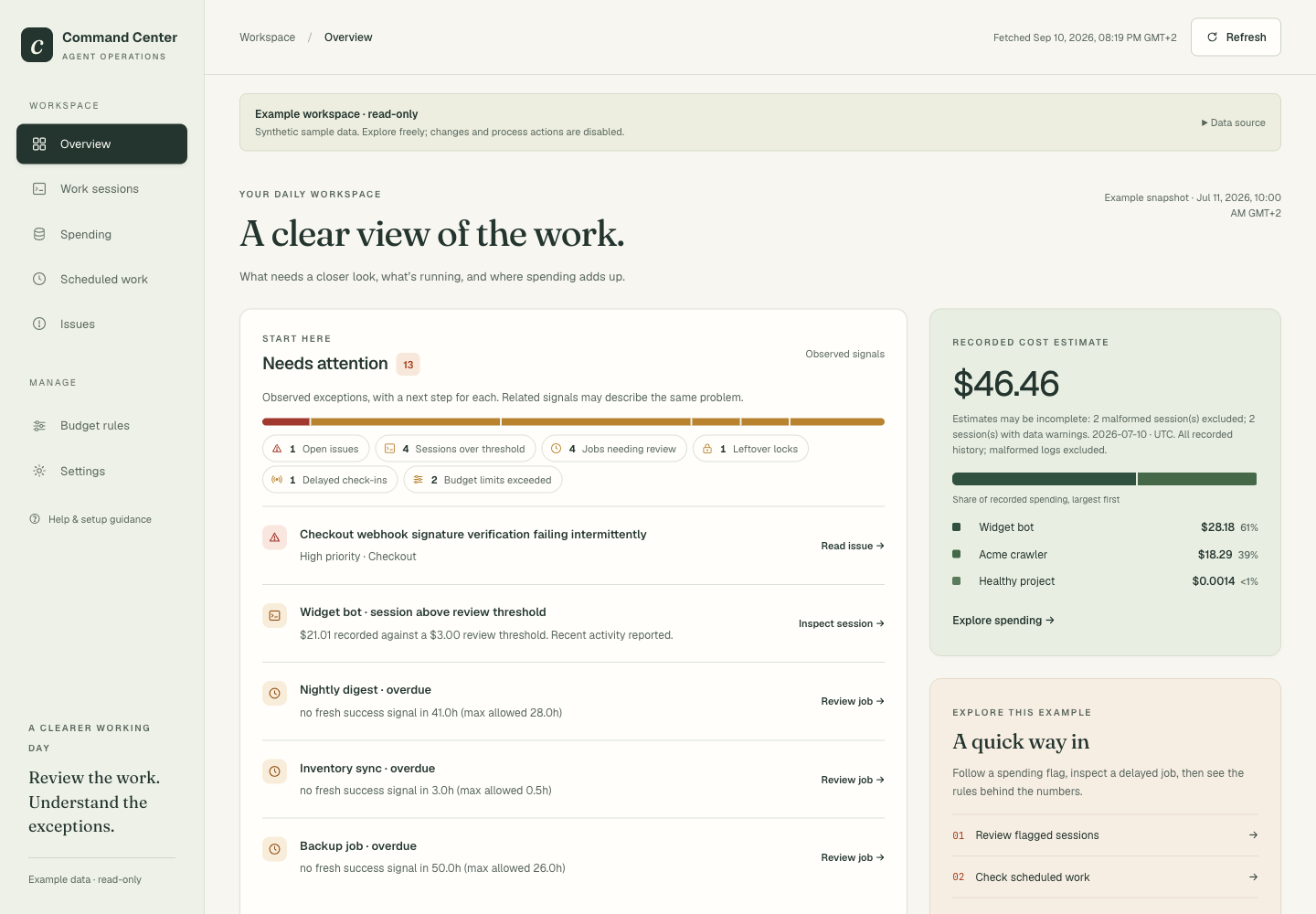
Inspect individual sessions and review cost estimates by project and day, drawn from your local transcripts.
Block tool calls with a budget rule. Kill or restart a process only when it’s on your allowlist and you confirm.
Track errors through open, monitoring, and resolved states, with notes that keep the investigation in one place.
03 / How it works
Install it where your Claude Code sessions run. You own the application, the configuration, and the data it reads.
Check if it fits your setupGet the source ZIP and license after checkout. Run the installer on macOS or Linux with Python 3.11+.
The dashboard reads local Claude Code transcripts. Register your scheduled jobs and connect the tool-call hook to enable budget enforcement.
Choose session, project, and daily limits. Review automation health and decide which processes can be stopped or restarted.
04 / Make it yours
For developers and small teams running multiple Claude Code sessions or scheduled agent work.
Tell us what you run and what you need to keep an eye on. We’ll help you work out whether it fits.
Talk to Pawel pawel@jock.pl$499 USD / one-time
Self-hosted software. Full source. Yours to run.
Secure checkout with Stripe. Download on the confirmation page.
Before you decide
Try the demo. Know the limits.
Ask us anything that’s missing.
It’s software you install on your own machine. The local dashboard reads your Claude Code transcripts and the automation registries you configure. Your session data stays with you. The hosted demo uses synthetic data.
The supported setup is Claude Code on macOS or Linux, with Python 3.11 or newer. It reads transcripts available on that machine; it does not automatically connect agents on other computers. There’s no native Windows installer. If you use another agent framework or need multiple hosts, tell us about your setup before buying.
No. With the PreToolUse hook installed, it can block a Claude Code tool call when recorded spend has breached your configured limit. It does not intercept model generation or API requests outside Claude Code. Cost is estimated from transcripts and a model pricing table, not your invoice. Unknown models and malformed transcripts can leave gaps; mixed-model cost attribution is approximate.
Automation health checks run when the dashboard or its API is requested. There is no separate background watchdog or built-in push alert for the dashboard going down. For that, add an external uptime check. Jobs must be registered with the expected signals before Command Center can assess their health.
The confirmation page provides your license and download. The ZIP includes the source, installer, and buyer documentation. Save your license and download before closing the page; email delivery is a backup. Your purchased version has no subscription expiry. Fixes and improvements to this release are provided through re-download with your license.
Try the live demo first. If the installed product doesn’t do what’s described here, email Pawel within 14 days for a refund request.
The $49.99 Agent Efficiency Kit focuses on measurement hooks and a local dashboard. Command Center adds budget enforcement, automation health checks, and process controls. Kit owners can request a $49.99 credit toward Command Center before checkout.
No signup. Synthetic data. The real dashboard.